Transcribing an interview well is mostly about deciding the rules first and then following them every time. Here is the method, then a quicker route.
Manual method, step by step
- Decide your style before you type. Will you write every "um" and false start (full verbatim) or tidy them (clean verbatim)? Research projects often need the first, articles and reports the second. Write the choice down.
- Set up. Use headphones, a text editor or word processor, and a player you can slow down and rewind. A foot pedal or hotkeys help, but they are optional.
- Add a header block (see the format below) before the first line of speech.
- Listen in short pieces. Play five to ten seconds, pause, type what you heard. Do not try to remember a whole minute.
- Label speakers at every change. Use "Interviewer" and "P01", or initials, and keep them identical throughout.
- Add timestamps at a steady interval, for example every 30 seconds or at each speaker change, in the same form each time ([00:12:31]).
- Mark unclear parts instead of guessing (conventions below).
- Do a second pass. Replay the whole recording while reading your text. This is where most errors are caught: names, numbers, and words that sound alike.
- Check names and numbers against a reliable source, and check any quote you plan to publish against the audio.
A transcript format to copy
Start with a header block, then one paragraph per turn.
Project: [Name of study or story]
Date of interview: [YYYY-MM-DD]
Interviewer: [Name or code]
Participant: [P01]
Duration: [00:42:10]
Transcription style: [Clean verbatim]

[00:00:05] Interviewer: Thanks for making time. Could you start by telling me how you got involved?

[00:00:11] P01: Sure. It started about three years ago, when...
Keep each speaker label at the start of its line, in the same place every time. That makes the file easy to search and easy to import into coding software later. There is a finished example on the interview transcript example page, with a Word template.
Clean versus full verbatim
Clean verbatim (also called intelligent verbatim) removes filler words, false starts and repeats, and fixes small slips of grammar, but keeps the meaning and the speaker's wording.
Full verbatim (true verbatim) keeps everything: fillers, repeats, false starts, laughter and pauses.
The same answer, both ways:
- Full: "Well, I, um, I think it was, it was maybe three years ago? We, uh, we started with just, like, six beds."
- Clean: "I think it was maybe three years ago. We started with just six beds."
Choose full verbatim when how people speak is part of your data (conversation analysis, some discourse work). Choose clean when you care about what they said, as in most thematic analysis and journalism. Either way, say which you used in the header.
Common conventions
- Unclear speech: [inaudible 00:12:31] with the time, so you or someone else can try again later. For a best guess, [unclear: garden?].
- People talking at once: [crosstalk].
- Sounds that carry meaning: [laughs], [sighs], [phone rings].
- Pauses: [pause] or [long pause], only in full verbatim.
- Anonymizing: replace names and places with [Name] or [Town], as your consent form promises.
- Your own notes: put them in square brackets and label them, for example [Note: tone ironic].
Pick the set you need and use it the same way throughout.
How long it takes
A commonly cited estimate is four to six hours of work for every hour of audio, and more if the sound is poor, people talk over each other or you need full verbatim with timestamps. Plan for that before you schedule a dozen interviews.
Or let the app do it
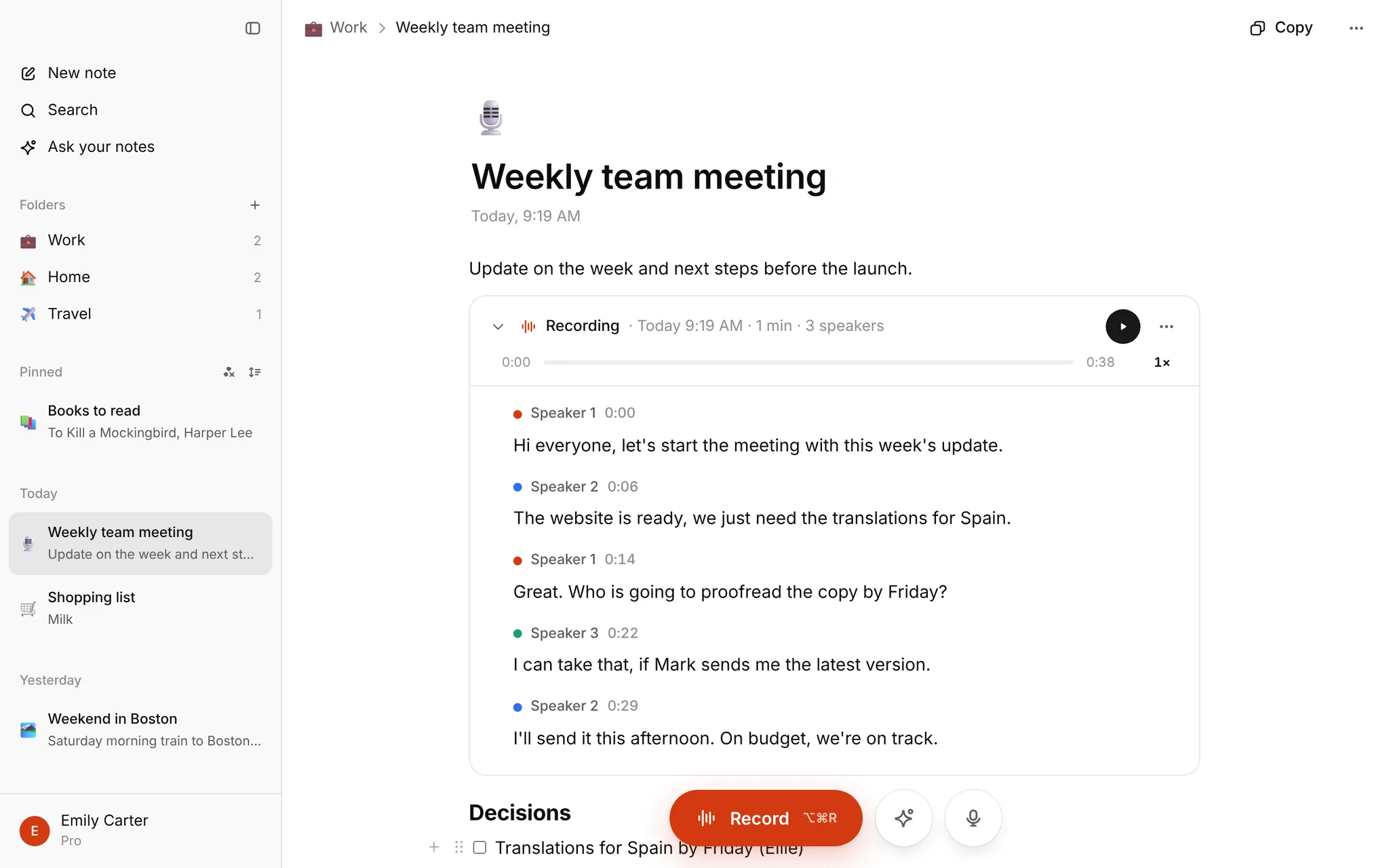
A first draft by machine saves most of that typing. You still read it with the audio, but you start from a transcript instead of a blank page.
- Drop the recording in the box on the homepage. One file up to 30 minutes needs no sign-up.
- Wait a few minutes. You get punctuation, speaker labels (Speaker 1, Speaker 2) and timestamps.
- Copy the text or download TXT.
- Rename the speakers to your codes by hand, apply your conventions, and check it against the audio.
For longer interviews, sign in and use My notes: click a sentence to hear it, double-click to fix it, and keep your memos in the same note.
Be clear about what it does not do. There is no Word export yet, speakers are numbered, not named, and the transcript is a draft, so check names, numbers and quotes yourself. If your study has an ethics board, read your data, consent and ethics boards first. More on the app: interview transcription.
What it costs
Nothing is for sale right now. Every account that signs in has Pro free until January, up to 10 hours of transcription a month, no card.