What a note can hold
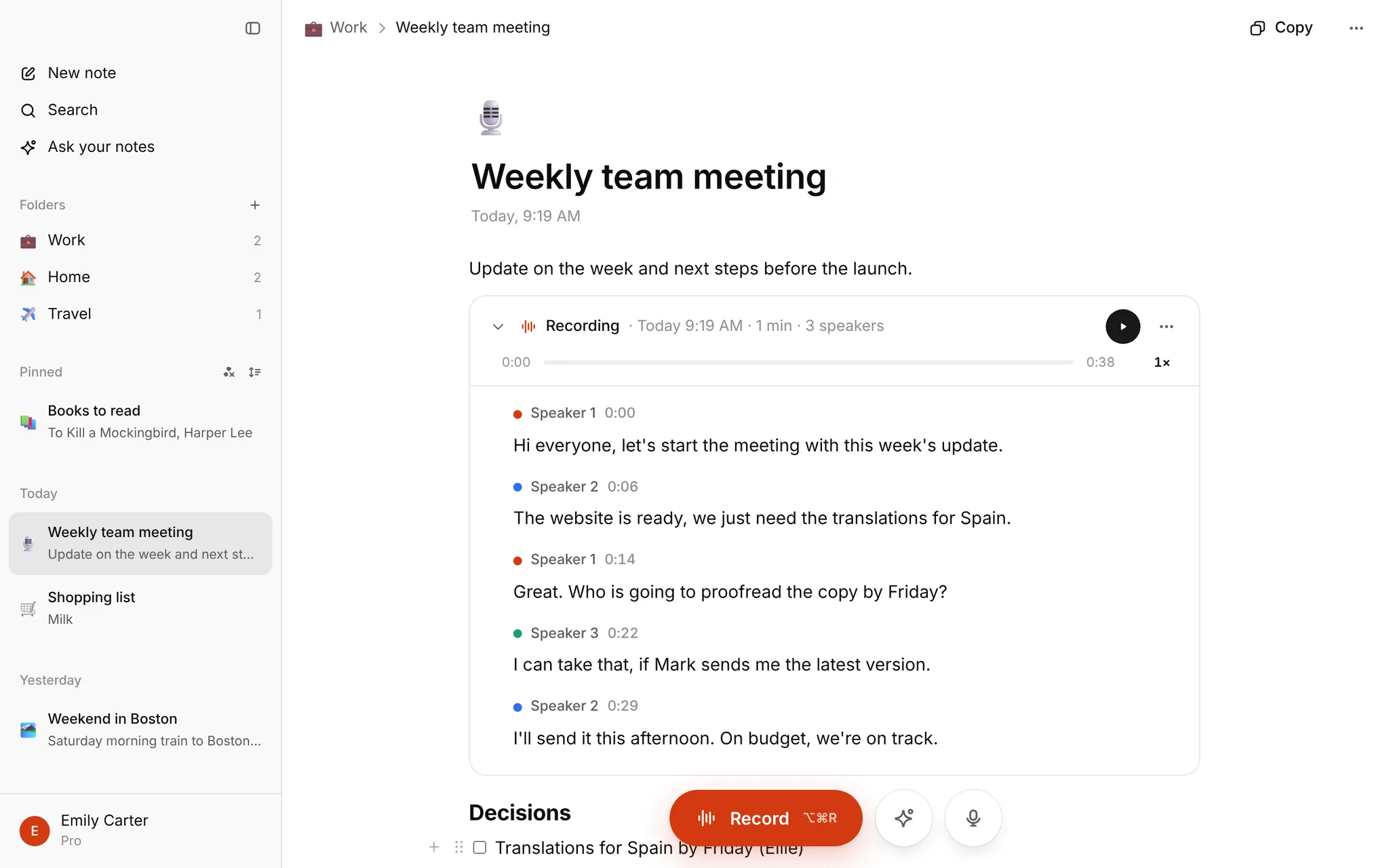
A note is a normal page: headings, lists, checklists, quotes, toggles, tables and images (paste or drop a picture, up to 25 MB). On top of that it can hold recordings. Record in the browser, or import an audio or video file, and the transcript appears inside the note with speaker labels and timestamps.
Notes get an icon (or an emoji, if you prefer), live in folders, and sit in a sidebar grouped by date. Pin the ones you need. Deleted notes stay in the trash for 30 days.
Voice in, notes out
- Record a meeting, lecture or call from your browser.
- Talk to type: tap the microphone, speak, tap the check mark, and clean text with punctuation goes in at your cursor.
- Tap any sentence in a transcript to play the recording from there.
- Search over every note and transcript, or press the Search button in the sidebar.
Ask AI
Open the AI panel in a note to ask about it: summarize, list the tasks and decisions, fix typos, make it clearer or turn a recording into tidy notes. A new version is shown first with the changes highlighted. You choose whether to replace the note, make a new note or add it to the end. The old version is kept for 30 days.
"Ask your notes" answers a question from all your notes and transcripts at once and links the notes it used. Answers come from Google Gemini, which sees the note only to answer.
Bring your old notes
Import from Google Keep, Notion, Apple Notes (Markdown export) or Markdown, text and HTML files. One click undoes an import. Evernote and OneNote are not supported yet.
What it costs
Nothing is for sale right now. Every account that signs in has Pro free until January, with up to 10 hours of transcription a month and no card. Without an account, the homepage transcribes one file up to 30 minutes.
What it doesn't do
- No Zoom or Teams bot. You record in the room or import the recording.
- Notes download as Markdown. Transcripts also come as TXT, SRT and VTT.
- No iPhone or Mac app yet, they are coming soon. The site works in a phone browser.
- The homepage upload transcribes English; in My notes you pick the recording language in Settings.
FAQ
Is it a Notion replacement? For plain notes and recordings, maybe. It has no databases or sharing. If you mostly want meeting and lecture notes with the audio attached, it fits.
Can I use it just for voice notes? Yes. Record, read the transcript, delete what you don't need. See the voice recorder page.
Can I keep my notes private? Notes stay in your account until you delete them. Audio goes to ElevenLabs and note text to Google Gemini only to process requests.