How to dictate
- Open My notes, sign in with Google and open a note.
- Put the cursor where you want the text.
- Tap the microphone. On a computer it is in the bar at the bottom of the note. On a phone it sits above the keyboard. Your browser asks for microphone access the first time.
- Talk. The words don't show while you speak.
- Tap the check mark. A second or two later the text is in the note.
If you don't like it, one undo (Ctrl+Z or Cmd+Z) removes all of it.
What the text looks like
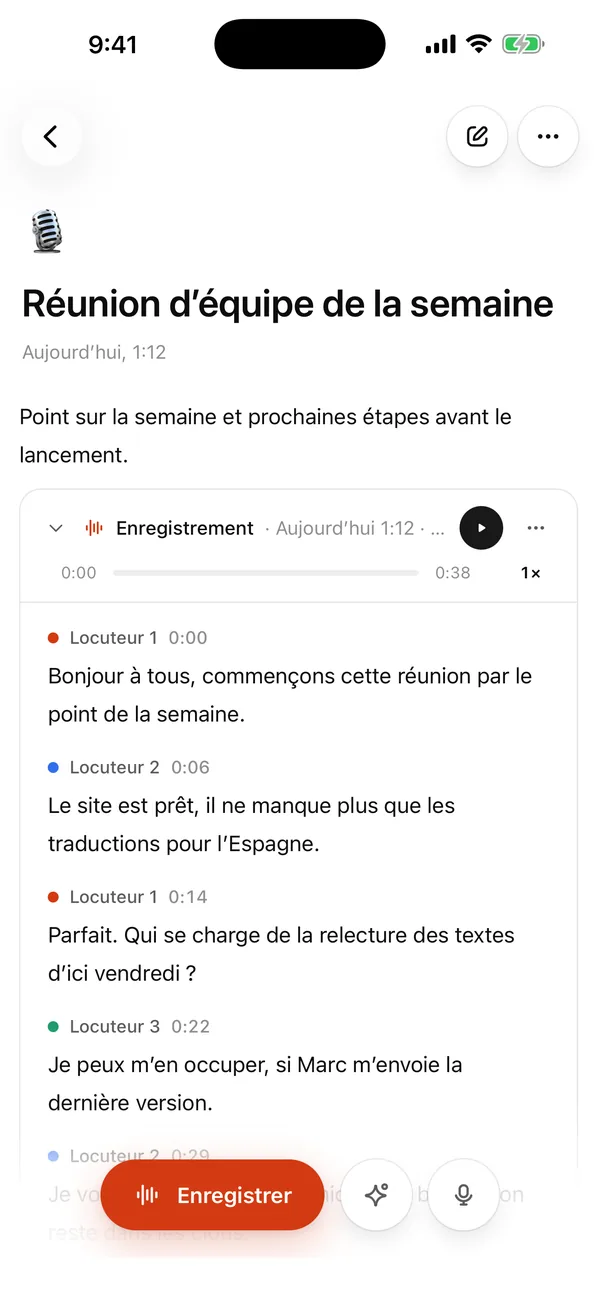
You get punctuation. Filler like "um" and false starts are left out, so you can talk through a paragraph the way you would explain it to a colleague and not have to clean it up. One dictation can run up to 10 minutes. For longer things, such as a lecture or a meeting, use Record instead. The recording stays in the note and the transcript, with speaker labels, appears below it. See voice recorder.
When it helps
- You have a thought and no patience for a phone keyboard.
- You want a long paragraph for a report, an email or an essay in one go. Say it, then edit it.
- After a meeting, say what was agreed, then write a checklist under it.
Once the text is in the note, Ask AI can shorten it, turn it into bullet points or tidy it up.
Speech to text for files
If you have a finished recording, drop it on the homepage for a transcript, or see mp3 to text.
How it differs from your keyboard's dictation
Your phone keyboard shows words as you speak. Here nothing appears until you tap the check mark, but the whole passage arrives at once with punctuation. Pick whichever suits the job.
What it costs
Nothing is for sale right now. Every account that signs in has Pro free until January, with up to 20 hours of dictation a month. Dictation doesn't use your transcription hours. No card.
Where the audio goes
The audio goes to ElevenLabs in the US only to be turned into text. Dictated audio isn't stored, only the text stays in your note.
FAQ
Does it work offline? No. The speech is converted on a server, so you need a connection.
Can I dictate into Word or Gmail? No, it works inside My notes. Copy the text from there.
Which languages? This site is English. You can change the language in Settings.