This page is for people who interview: thesis students, qualitative researchers and journalists. You record, you need the words on the page, and you need to be sure of what was said.
What you get
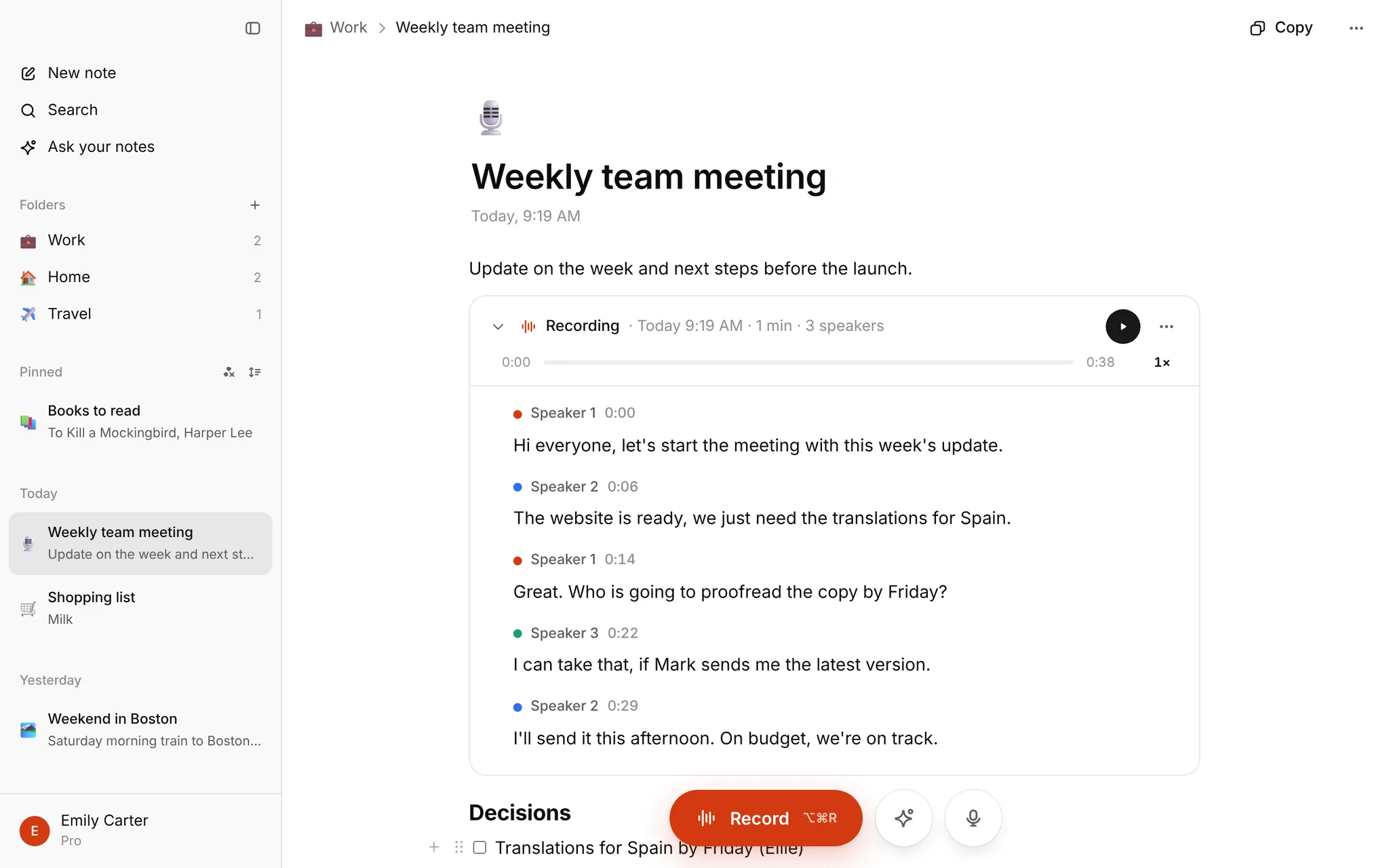
- A transcript with punctuation, speaker labels and timestamps, so you can see who asked, who answered and when.
- Click or tap a sentence to hear it (in My notes), so you can check a quote against the audio.
- Fix a line by double-clicking it, with the recording right there.
- Search across every interview, and Ask AI about one: "List what she said about funding," "Pull out every mention of childcare."
- Your transcript, memos and coding ideas in the same note.
- Copy the text, or download TXT, SRT or VTT. Notes can be copied or downloaded as Markdown.
How it works
- Drop the file in the box on the homepage. MP3, M4A, WAV, OGG, FLAC, AAC, WebM, MP4 and MOV work.
- Wait a few minutes with the tab open.
- Read the transcript, then copy it or download TXT.
One file up to 30 minutes needs no sign-up. For longer interviews, or to keep them together with your notes, sign in and use My notes. Long files are split into parts automatically, and you upload the whole file once.
Guides and templates
- How to transcribe an interview: the manual method step by step, a format to copy, clean versus full verbatim, and conventions for unclear speech.
- Interview transcript example: a finished research transcript, with a Word example and a blank Word template to download.
- Your data, consent and ethics boards: who processes your audio, how long it is kept, how to delete it, and a sample consent paragraph.
- Several speakers around a table? See meeting minutes for group recordings.
Honest limits
- No Word export yet. You copy the text into Word or Google Docs, or download TXT.
- Speakers are numbered, not named. The transcript says Speaker 1 and Speaker 2. After you copy it, rename them by hand to your participant codes, for example with find and replace.
- No direct export to NVivo or ATLAS.ti. Copy the text or use TXT, then code where you normally do.
- The homepage upload transcribes English. Overlapping talk, noise and strong accents are where every transcriber struggles, so always read the transcript with the audio before you quote it.
Tips for a cleaner transcript
- Record close to the speakers, in a quiet room.
- One person at a time.
- Phone interviews: use speaker mode and record on a second device.
- Recorded on a phone? See transcribe voice memos.
Ethics and consent
Audio is sent to ElevenLabs (USA) for transcription, and AI features use Google Gemini. Your consent form and ethics application should say so. Your data, consent and ethics boards lists what to tell them.
What it costs
Nothing is for sale right now. Every account that signs in has Pro free until January, with up to 10 hours of transcription a month and no card.
FAQ
Can it name the speakers? No. It numbers them, and you rename them.
Does it transcribe other languages? The homepage upload transcribes English. In My notes you can set the recording language in Settings (English, French, German, Spanish, Italian and eight Central European languages).
Can I get a Word file? Not directly. Copy the text where you need it, or download TXT.