How to record and transcribe
- Open My notes and sign in with Google.
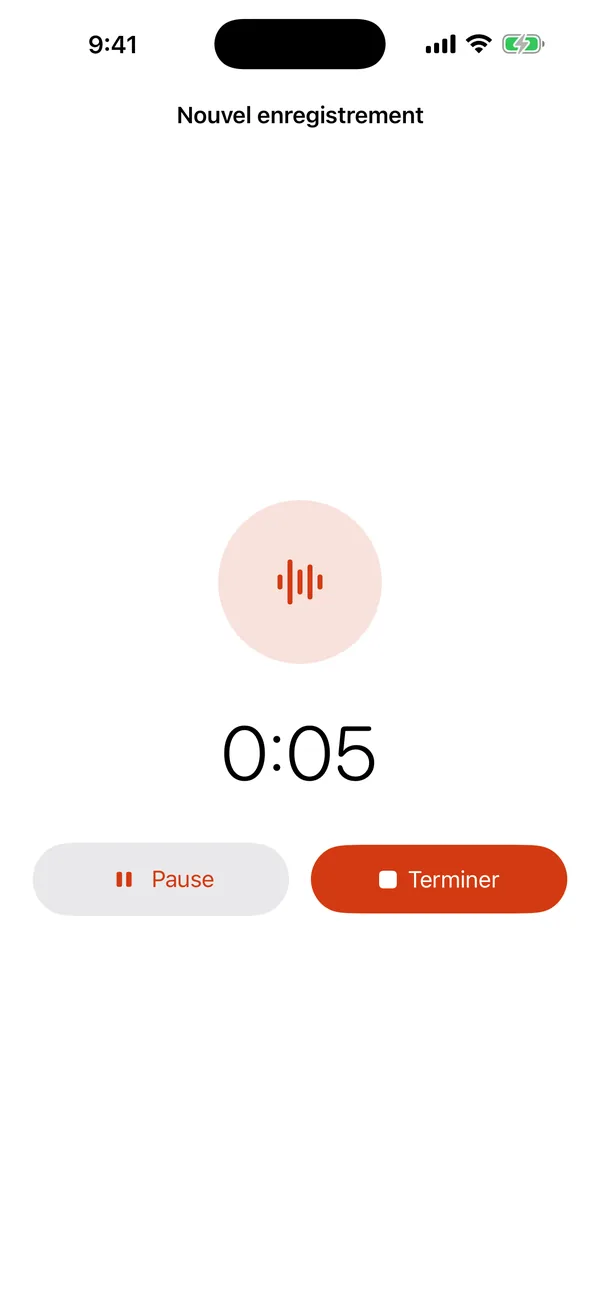
- Create a note and press Record. Your browser asks once for microphone access.
- Talk: a lecture, a meeting, an interview, your own thoughts. Press stop when you are done.
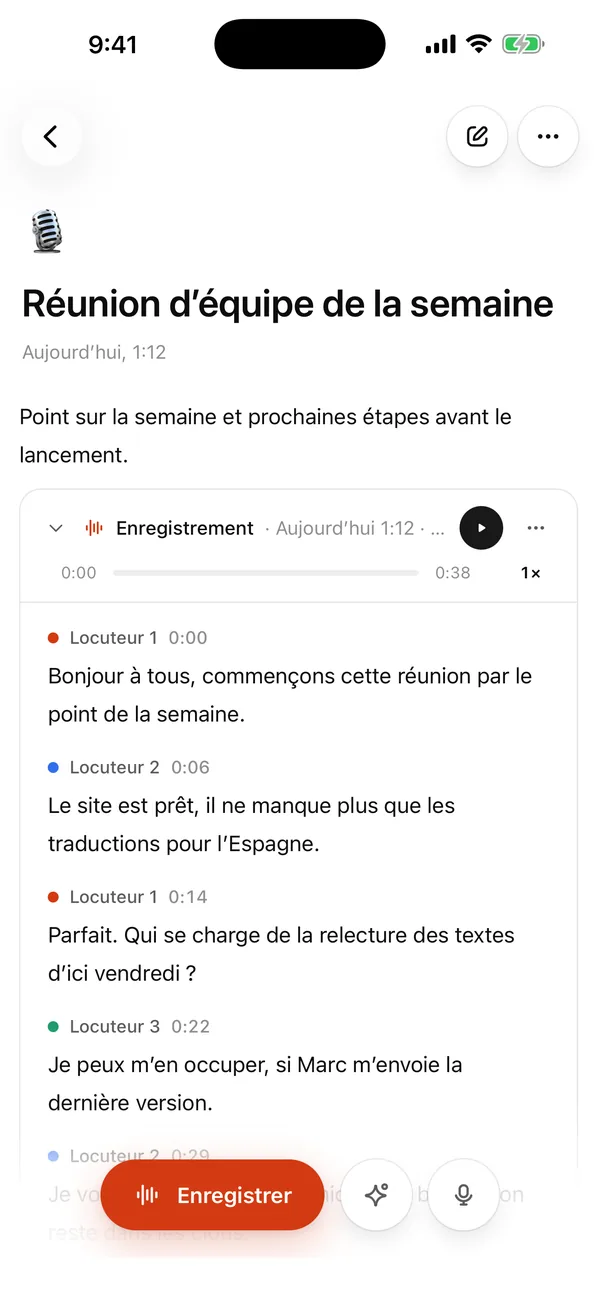
- The recording stays in the note. The transcript shows up a few minutes later, with punctuation, speaker labels (Speaker 1, Speaker 2) and timing.
There is nothing to install. It works in the browser on a computer and on a phone. iPhone and Mac apps are coming soon.
What you get that a plain voice recorder doesn't
A normal recorder gives you an audio file you have to play back from the start. Here you get the recording and the text together:
- Tap a sentence to play from there. Handy for checking who really said what.
- Double-click a sentence to fix it if a word is wrong.
- Search across all your notes and transcripts.
- Ask AI about a recording: a summary, a list of tasks and decisions, or a cleaned-up set of notes.
- Copy or download the note as Markdown. Transcripts can also be saved as TXT, SRT or VTT.
You can type your own notes, checklists and tables in the same note, next to the recording.
Already have a recording?
Import it into a note, or drop it on the homepage for a quick transcript. We accept MP3, M4A, WAV, OGG, FLAC, AAC, WebM, MP4 and MOV. Voice Memos from an iPhone are M4A files, so they work as they are (see transcribe voice memos). WhatsApp voice messages are .opus files: rename them to .ogg or convert them to MP3.
What it costs
Nothing is for sale right now. Every account that signs in has Pro free until January, with up to 10 hours of transcription a month and no card. Without an account, the homepage transcribes one file up to 30 minutes.
Where your recordings go
Recordings and transcripts in My notes stay in your account until you delete them. The speech-to-text service is ElevenLabs in the US, and it receives audio only to process it. Details are on the privacy page.
Good to know
- The homepage upload transcribes English; in My notes you pick the recording language in Settings.
- The transcript arrives after you stop, not while you talk.
- Speakers are labelled by number. You name them yourself.
- Export is copy, TXT, SRT and VTT (Markdown for notes).
FAQ
Does it keep recording when my phone locks? In a phone browser, recording can stop when the screen locks or you switch apps. For long recordings, keep the screen on, or record on a computer.
Can it tell speakers apart? Yes, it labels them Speaker 1, Speaker 2 and so on.
Is there an app? Not yet. The site works in your browser. See notes app for what a note can do.